


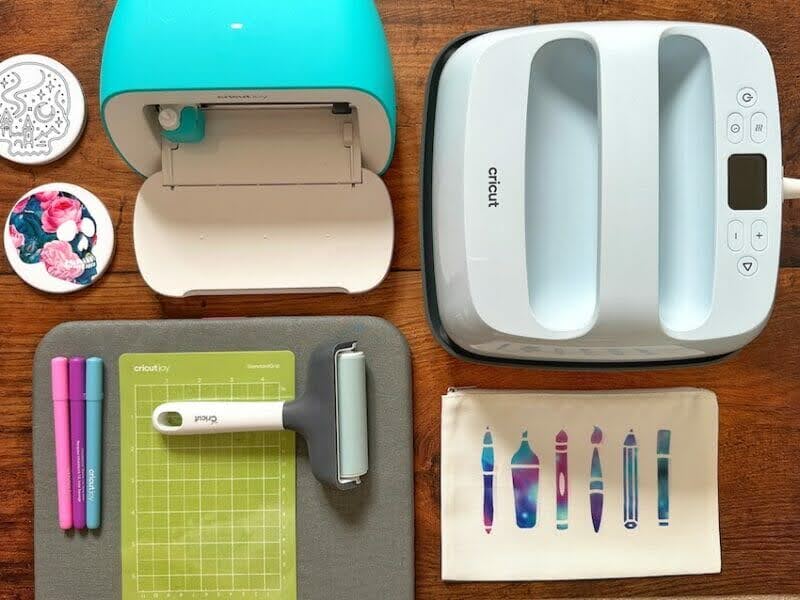
Cricut Inc. has fundamentally altered the landscape of the home-crafting industry with the introduction and expansion of its Infusible Ink system, a proprietary technology that brings professional-grade sublimation printing to the consumer market. Unlike traditional heat-transfer vinyl (HTV) or iron-on pigments that adhere to the surface of a substrate, Infusible Ink utilizes a sophisticated chemical process to permanently bond ink with the fibers or coatings of a base material. This innovation addresses a long-standing demand among artisans for DIY designs that possess the durability and finish of factory-manufactured goods, effectively eliminating common issues such as peeling, cracking, and fading.
The Science of Sublimation: Understanding the Infusible Ink Mechanism
At the core of the Infusible Ink system is the scientific process of sublimation. In this thermal reaction, specialized solid-state ink is subjected to high-intensity heat—typically ranging between 385°F and 400°F (195°C to 205°C). Under these specific conditions, the ink bypasses the liquid phase entirely, converting directly into a gas. Simultaneously, the heat causes the pores of compatible polymer-based materials, such as polyester fabrics or poly-coated ceramics, to open.
Once the ink reaches a gaseous state, it permeates the structure of the substrate. As the heat source is removed and the material cools, the pores close, trapping the ink inside. The ink then reverts to a solid state, becoming an integral part of the material’s molecular structure rather than a superficial layer. This results in a "seamless" feel; on fabric, the design is undetectable to the touch, maintaining the original breathability and drape of the garment.
The Evolution of Personalized Manufacturing: Context and Market Growth
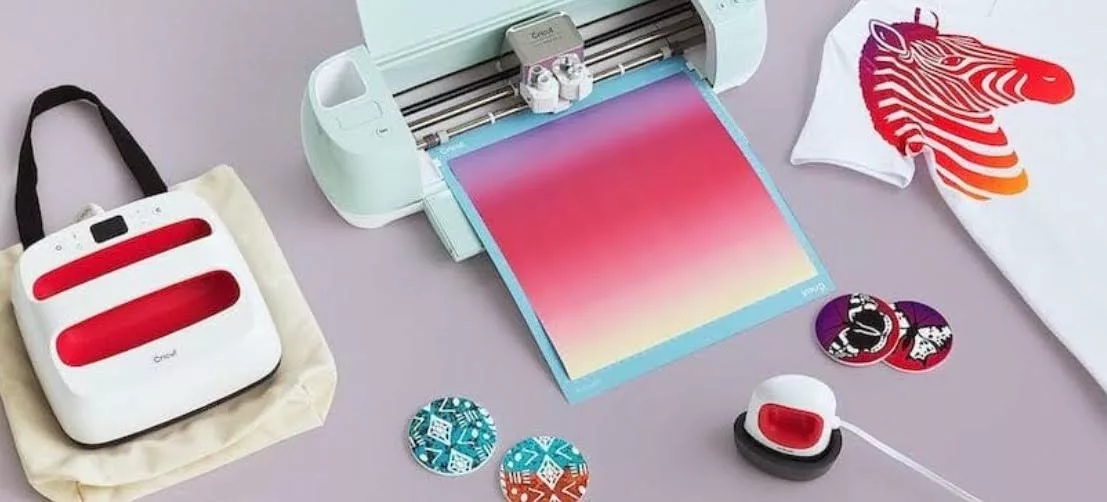
The rise of Infusible Ink mirrors the broader expansion of the global "maker economy." According to industry reports, the global handicrafts market reached a valuation of approximately $752.2 billion in 2022, with a significant portion of that growth driven by personalized home decor and apparel. Cricut’s entry into the sublimation space democratized a process that previously required expensive industrial printers and bulky heat presses.
Before the mainstreaming of this technology, small-scale creators were limited to HTV, which uses a heat-activated adhesive. While effective for simple designs, HTV is prone to degradation over time, especially when subjected to repeated laundry cycles or UV exposure. The Infusible Ink product line, which includes both pre-inked Transfer Sheets and versatile Pens and Markers, allows users to achieve high-fidelity, multi-colored designs with a professional "retail" finish using the same cutting machines (such as the Cricut Maker, Explore, or Joy) they already own.
Technical Specifications: Material Compatibility and Requirements
A critical factor in the success of an Infusible Ink project is the selection of the substrate, often referred to in the industry as a "blank." Because the sublimation process relies on a chemical bond with polymers, the ink will not react with natural fibers like 100% cotton or untreated organic surfaces.
To ensure optimal results, the following technical standards are generally required:
- Fabric Composition: Materials should ideally consist of at least 65% polyester. Higher polyester content directly correlates with increased color vibrancy and longevity.
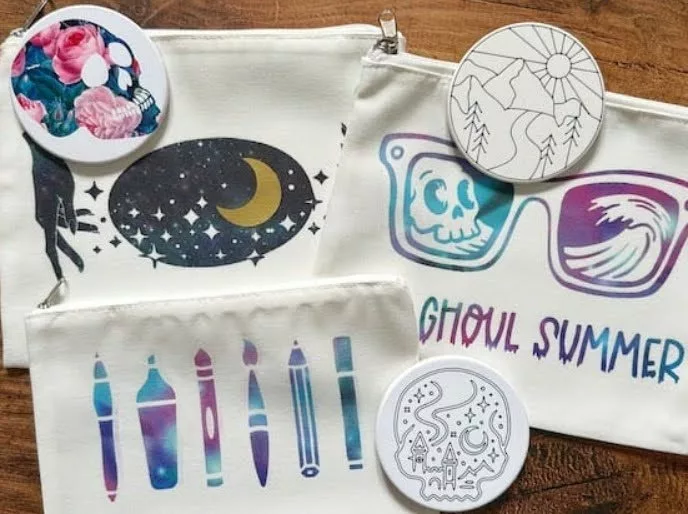
- Hard Surfaces: Items such as mugs, coasters, and luggage tags must be treated with a specialized polymer coating.
- Thermal Consistency: A heat press capable of maintaining a constant temperature of at least 400°F is necessary. Standard household irons are generally insufficient due to uneven heat distribution and lack of precise temperature controls.
Implementation Chronology: Case Study of the Cosmetic Bag Project
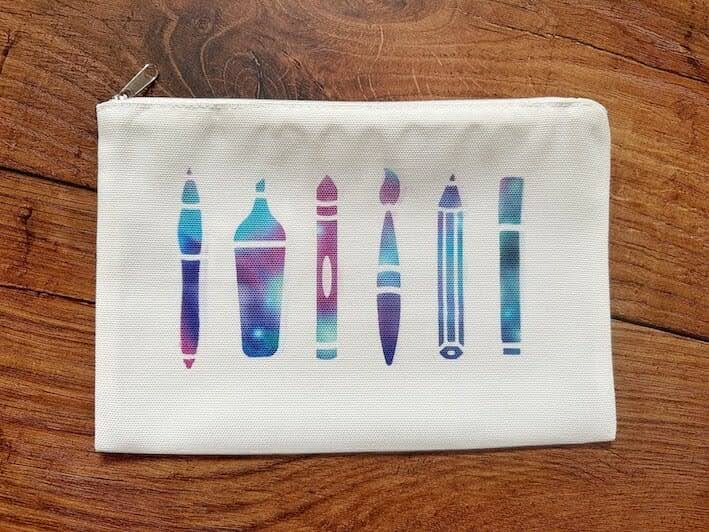
To illustrate the operational workflow of this technology, industry experts often point to the customization of polyester-based cosmetic bags as a benchmark for beginner-to-intermediate proficiency. The process follows a strict technical chronology to ensure a permanent bond.
Phase I: Digital Composition and Design Configuration
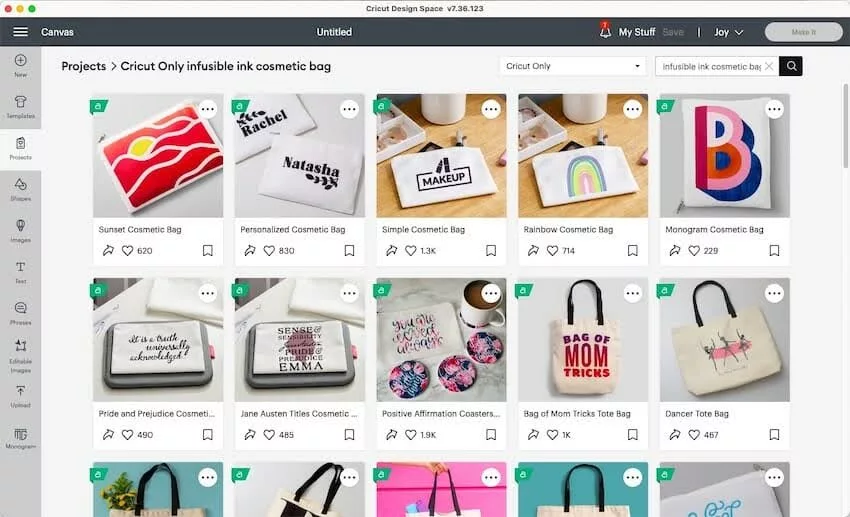
The workflow begins in the Cricut Design Space software. Users select or upload a vector-based design. A mandatory step in this phase is the "Mirror" command. Because the transfer sheet is placed face-down on the substrate, the design must be cut in reverse to appear correctly upon application.
Phase II: Mechanical Precision Cutting
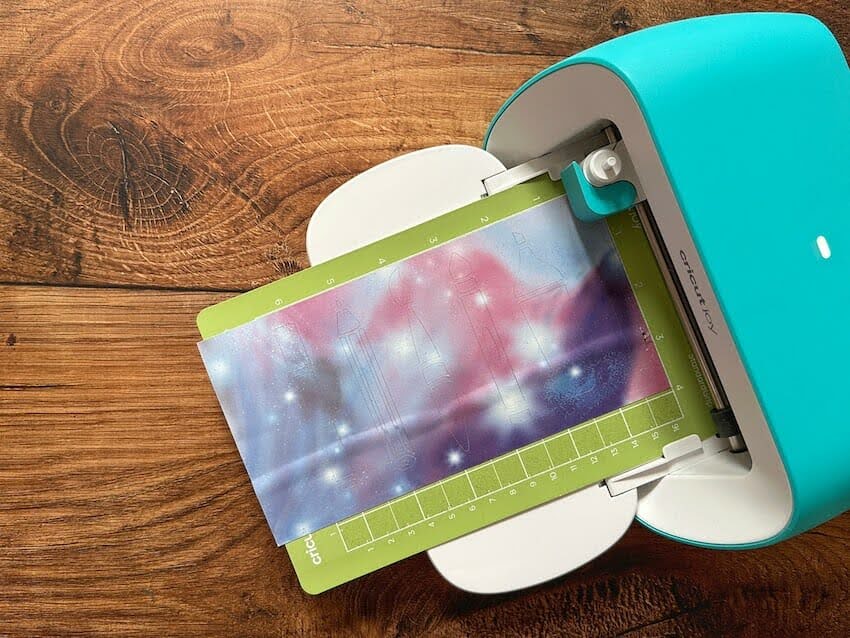
The Infusible Ink Transfer Sheet is loaded onto a standard grip cutting mat with the ink side facing upward. The Cricut machine executes the cut using a fine-point blade. Unlike vinyl, Infusible Ink sheets have a paper-like consistency, requiring specific pressure settings to ensure the blade cuts through the ink layer without piercing the clear liner.
Phase III: Manual Weeding and Substrate Preparation
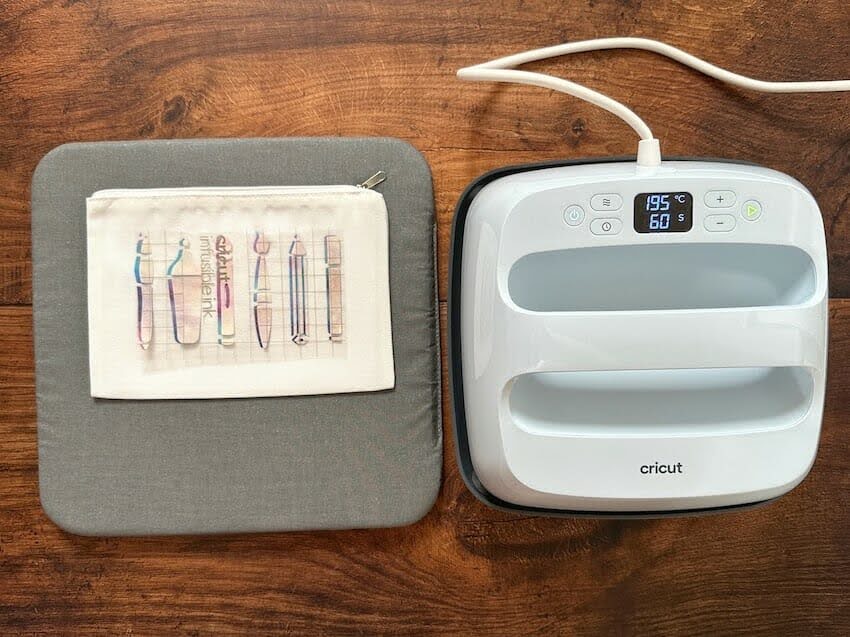
Following the cut, the artisan performs "weeding"—the removal of excess ink sections. For Infusible Ink, this is often done by "cracking" the paper, gently rolling it until the cut pieces pop away from the liner. Simultaneously, the cosmetic bag must be prepped. This involves using a lint roller to remove microscopic debris and pre-heating the fabric for 15 seconds to eliminate moisture and wrinkles.
Phase IV: Thermal Integration
The design is placed face-down on the bag. A layer of butcher paper (usually included with the sheets) is placed on top to protect the heat press from ink "ghosting." The Cricut EasyPress is applied with firm pressure for 60 seconds at 385°F. Once the cooling process is complete, the liner is removed, revealing a design that is now part of the fabric.
Precision Artistry: The Ceramic Coaster Case Study
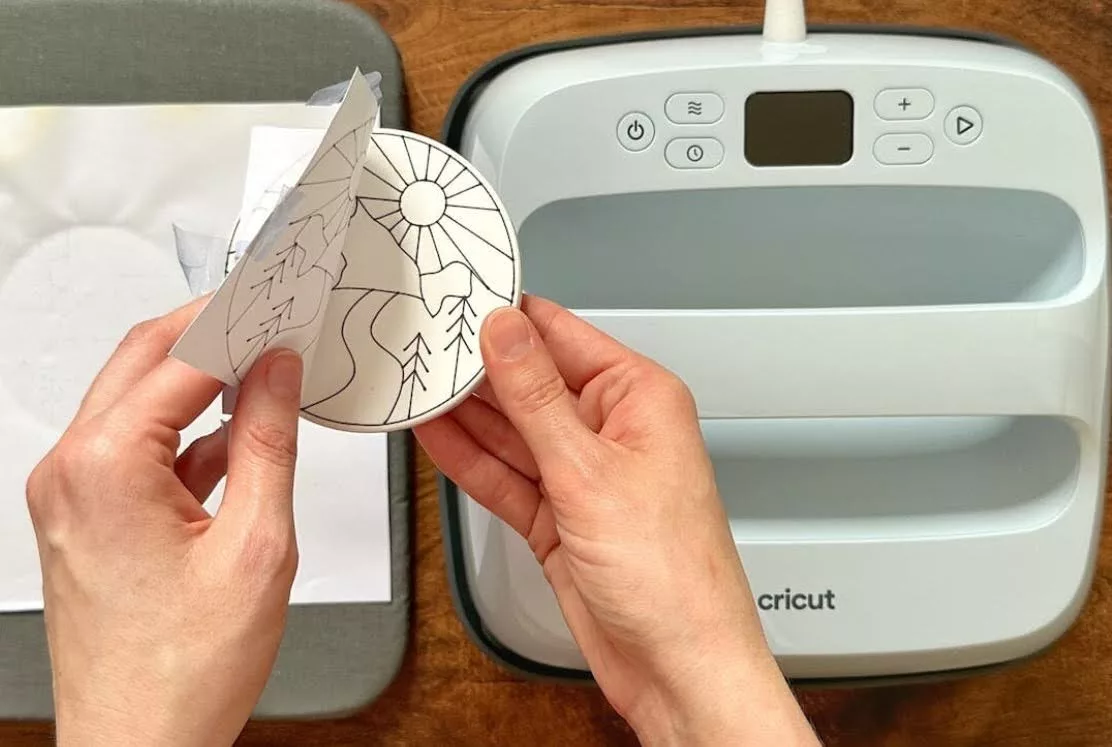
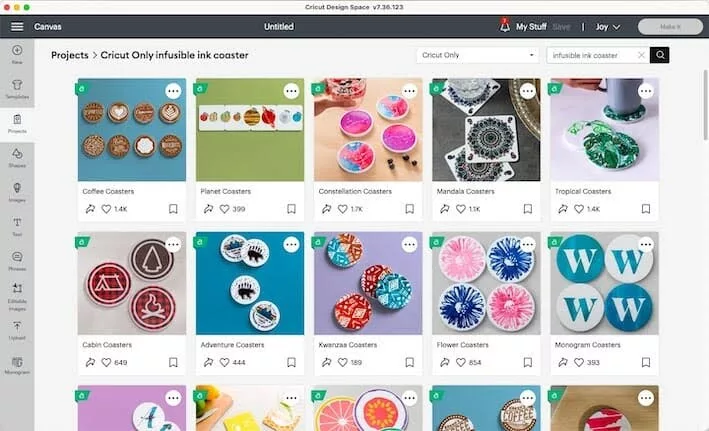
While transfer sheets offer solid patterns, Cricut Infusible Ink Pens and Markers provide a vector for hand-drawn or machine-drawn fine-line art. This application is particularly popular for rigid substrates like ceramic coasters.
Chronological Execution for Rigid Substrates:
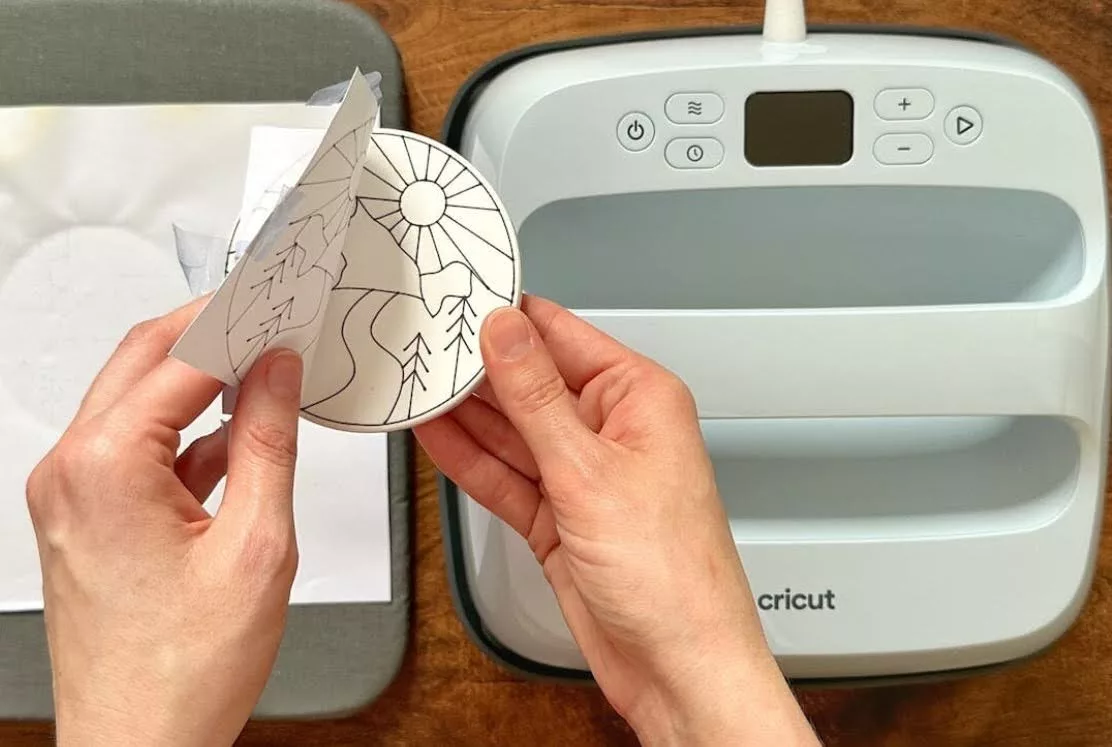
- Automated Drawing: The user inserts an Infusible Ink Pen into the machine’s accessory clamp. The machine draws the design onto standard laser copy paper.
- Color Saturation: If using markers, the artist can manually fill in the machine-drawn outlines to create gradients or complex color schemes.
- Surface Sterilization: Ceramic blanks must be wiped with a lint-free cloth and isopropyl alcohol to remove oils or fingerprints, which can interfere with the chemical bond.
- Inversion and Heat: The paper is taped securely to the coaster using heat-resistant tape. In a notable departure from fabric projects, the coaster is often flipped upside down during pressing, with the heat source applied to the bottom of the ceramic to ensure the heat penetrates through to the ink layer effectively.
Operational Best Practices and Maintenance
To maintain the integrity of infused designs, the industry recommends a specific maintenance protocol. For apparel and fabric cases, items should be laundered in cold water with mild detergent. The use of fabric softeners or bleach is discouraged, as these chemicals can eventually break down the polymer bonds. For hard surfaces like coasters, hand-washing is preferred over high-heat dishwasher cycles to prevent the potential "re-gassing" of the ink, though many polymer coatings are rated as dishwasher-safe.
Industry Analysis: Implications for the Small Business Sector
The introduction of Infusible Ink has significant implications for the "pro-sumer" market. Traditionally, sublimation required a dedicated printer converted with sublimation inks, a high-cost barrier for hobbyists. By providing pre-inked sheets, Cricut has lowered the entry cost for high-quality product creation.
Market analysts suggest that this technology has empowered a new wave of Etsy entrepreneurs. The ability to produce "boutique-quality" items from a home office allows for low-overhead, small-batch production of wedding favors, corporate gifts, and localized merchandise. Furthermore, the durability of the product reduces return rates associated with "peeling" designs, thereby increasing consumer trust in handmade brands.
Official Guidelines and Warranty Considerations
Cricut officially recommends the use of their branded "blanks" to guarantee the chemical reaction. While third-party polyester items are compatible, the company notes that results may vary based on the exact chemical makeup of the polyester or the thickness of the polymer coating. Furthermore, using non-standard materials or third-party inks can, in certain circumstances, affect the performance of the cutting hardware, and users are encouraged to follow official heat guides provided by the manufacturer’s digital databases to ensure safety and equipment longevity.
Final Assessment of the Technology
Cricut Infusible Ink represents a bridge between amateur crafting and industrial manufacturing. By utilizing the principles of sublimation, it offers a permanent, high-fidelity solution for personalization that exceeds the capabilities of traditional heat-transfer methods. As the technology continues to evolve—with new colors, patterns, and pen tip sizes being introduced—the potential for creative expression and small-scale commercial production continues to expand. For the modern craftsperson, the "magical" transition from a solid sheet to a gas-infused masterpiece is not just a creative endeavor, but a technical achievement in home-based manufacturing.